Your Private, Offline AI Assistant.
Take notes and chat with a smart AI agent directly on your Android device. No cloud, completely private, and 100% free.
download
Chat with PDFs Privately: On-Device Document Q&A in 2026
In April 2026, Google released the AI Edge Gallery for Android — letting users chat with PDFs using Gemma 4 entirely on-device, with no data, prompts, or telemetry transmitted to the cloud. Apple's on-device foundation models offer a similar guarantee on iPhone and Mac. The cloud-only era of document Q&A is ending — and it's ending faster than most people noticed.
Quick Answer: Chatting with PDFs privately means running the entire document Q&A pipeline — OCR, text extraction, and language-model inference — on your own device, with no upload to a cloud server. The 2026 stack: Apple Intelligence on iPhone/Mac, Google's AI Edge Gallery (Gemma 4) on Android and iOS, and self-hosted local LLMs (Qwen, LLaMA) on PC. Real systems already achieve sub-4-second response times on mid-range hardware, with no data leaving the device.
On-device document Q&A (also called private document AI) is an AI workflow that processes a PDF or document and answers questions about it using only local computational resources — the device's CPU, GPU, or NPU — without transmitting document content to any external server.
AI-generated image
What "Chat with PDFs Privately" Actually Means
The cloud-based "chat with PDFs" workflow is familiar. You upload a document to a tool like PDF.ai — which functions like ChatGPT for PDFs, allowing users to upload a document and ask questions about its content. That convenience comes with a structural cost: every byte of the document leaves your device, traverses the provider's infrastructure, and may be retained, processed, or analysed by people you don't know.
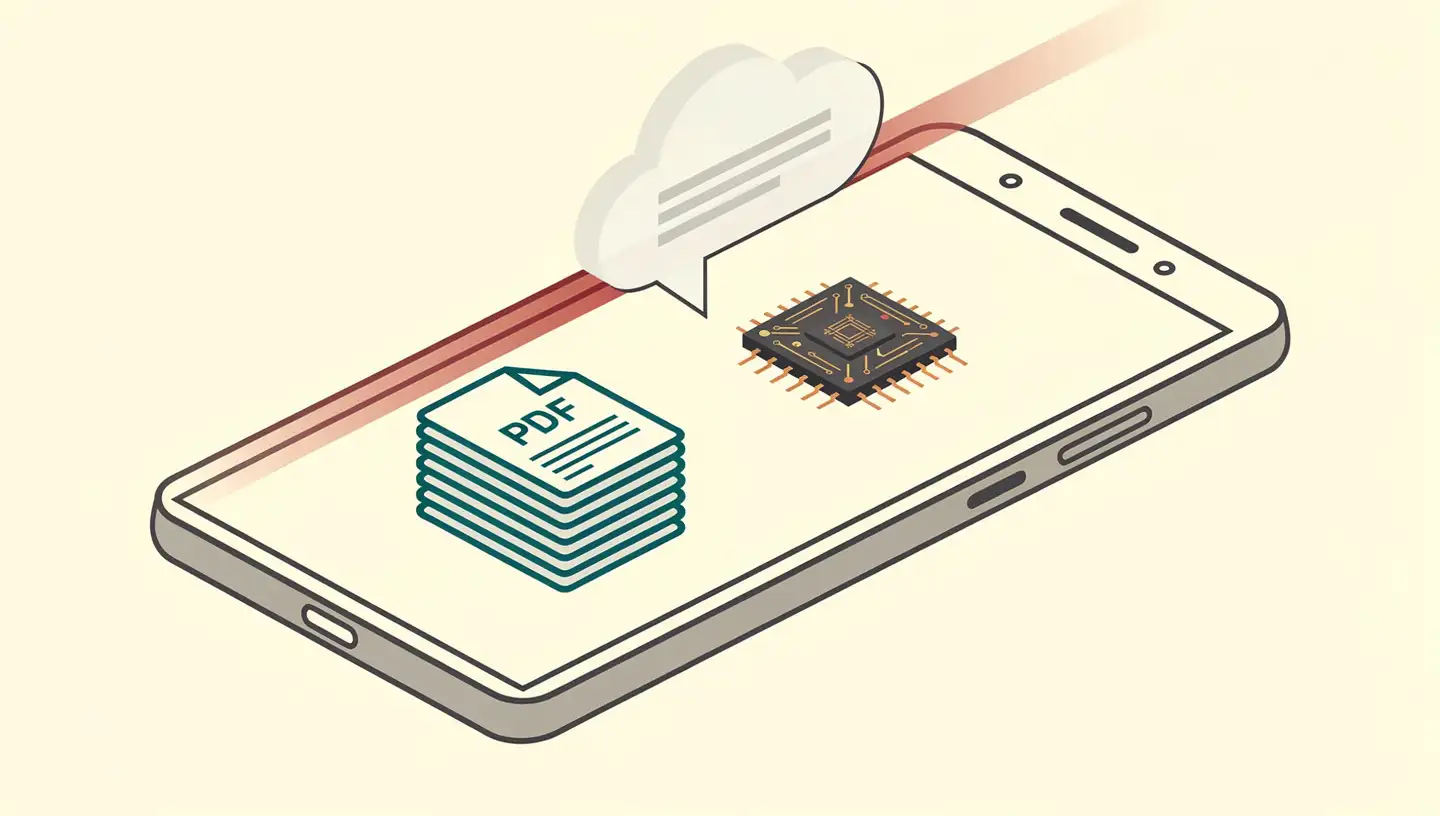
On-device document Q&A keeps that loop closed inside your device. The architecture has three parts:
Text extraction — OCR and PDF parsing turn the document into searchable text, locally
Indexing & retrieval — relevant passages are found using local embeddings and similarity search (the same on-device RAG pattern covered in our on-device RAG primer)
Generation — a local language model produces a grounded answer using only the retrieved context
The document never leaves the device. The query never leaves the device. The answer is generated locally. For workflows involving tax returns, medical records, legal contracts, or any sensitive material, that property changes the privacy calculus fundamentally.
The 2026 Stack: Apple, Google, and Self-Hosted Options
The on-device document Q&A space matured rapidly through 2025–2026. There are now three credible paths, depending on the platform and the level of sophistication required.
Apple Intelligence (iPhone, iPad, Mac)
Apple's on-device foundation language model is optimised for Apple silicon, enabling low-latency inference with minimal resource usage. It supports 15 languages and improves tool-use and reasoning capabilities, understanding both image and text inputs efficiently. Critically, Apple's generative foundation models do not use users' private personal data or user interactions for training.
For tasks too large for the on-device model, Apple Intelligence can call Private Cloud Compute (PCC) — designed to extend the privacy and security guarantees of Apple devices into the cloud tier. PCC is Apple's bet that some processing genuinely needs more compute than a phone provides, while still meeting on-device-grade privacy expectations.
Google AI Edge Gallery (Android and iOS)
Released April 5, 2026, the AI Edge Gallery lets users run generative AI models entirely on-device without needing an internet connection. The app uses Google's Gemma 4 models and enables detailed analysis of images and documents directly on a device — making it suitable for sensitive applications such as healthcare and legal communications. Per Google: no data, prompts, or telemetry are sent to the cloud.
Performance is practical. The Gemma 4 27B model can perform local inference on a mid-range Android phone with initial response times averaging around 4 seconds — fast enough for interactive document querying. Gemma 4, launched by Google DeepMind in April 2026, is a family of open models that supports multi-step workflows, with LiteRT-LM optimising performance and reducing memory usage on-device. Multi-step workflows are what move PDF Q&A from chat-with-a-document toward agentic behaviour — for the broader picture, see our on-device AI agents explainer.
Self-Hosted Local LLMs (PC, Workstation)
For maximum control, a self-hosted local LLM setup remains the most flexible option. One privacy-focused practitioner documented in April 2026 a hardline approach insisting on local LLM inference without requiring servers, using configurations including a laptop with an NVIDIA 5090 GPU, an AMD Ryzen AI Max Pro with 128 GB unified memory, and a DGX Spark with 128 GB. The author reported 90 tokens per second with Qwen3.5:35B on the 5090 — deemed ideal for efficient local document processing.
This path requires capable hardware and technical comfort, but it offers the strongest privacy posture and the most flexibility in model choice. For background on choosing a local LLM, see our local LLM benchmark guide.
Mobile Apps That Deliver Private Document Q&A
Beyond the platform-level offerings, a growing ecosystem of apps targets specific document workflows:
AI Edge Gallery (Google) — multi-purpose Gemma 4 client on Android and iOS for chat, document analysis, and image understanding, all on-device
TalkBack (Android) — uses Gemini Nano for offline image accessibility, providing detailed image descriptions without internet
Google Pixel voice recorder — uses Gemini Nano for offline summarisation of voice recordings
Kakao Mobility — integrated Gemini Nano for streamlined address entry, achieving a 24% reduction in order completion time while keeping data local
E.M.Pilot — AI email client running entirely on-device, using Qualcomm's NPU for smarter, faster, more secure email management
File Fairy — local-PC file assistant that uses on-device AI to analyse, organise, and search documents in real time
Each is a single piece of the broader pattern: a workflow that used to require cloud processing now runs locally — and many users get measurable convenience improvements alongside the privacy benefit.
Open-Source and Self-Hosted Solutions
For privacy-sensitive use cases where commercial offerings won't do, the open-source side has matured.
The LLM-Anonymizer — when applied to medical reports using Llama-3 70B — achieved a 99.24% success rate in removing personal identifying information while preserving information necessary for research purposes. The full pipeline is available under an open-source license and can be operated on local hardware without requiring programming skills. For healthcare research that legally requires deidentification before sharing, this is a clean local-first answer.
For document management more generally, one Reddit contributor documented a fully automated system that uses Tesseract for OCR on sensitive documents like tax IDs and medical records — ensuring privacy by processing locally — combined with Paperless-GPT for AI-driven classification and tagging.
Apple's architectural framing applies here too: data existing only on user devices is by definition disaggregated and not subject to any centralised point of attack. When on-device computation is possible, users control their own devices, runtime transparency is cryptographically assured through Secure Boot, and Apple retains no privileged access — a property that's structurally hard for cloud architectures to match.
Privacy Risks That Cloud PDF Chat Can't Solve
Cloud-based document Q&A has three structural privacy weaknesses that no amount of policy can fully neutralise:
Transit and storage exposure. Documents uploaded to a cloud service traverse multiple network points, sit in vendor databases during processing, and may be retained in backup systems long after the immediate interaction. Even with TLS in transit and at-rest encryption, the document exists on infrastructure the user doesn't control.
Third-party access patterns. Cloud AI providers may use uploaded documents for model training (sometimes opt-out, sometimes not), grant access to staff under internal procedures, respond to subpoenas or legal process, and share data with partners under contractual arrangements. Apple makes the strongest counter-claim: their generative foundation models do not use users' private personal data or user interactions for training. Fewer providers make comparable assurances, and "we don't train on customer data" frequently comes with conditions in the fine print.
Regulatory compatibility. Healthcare providers handling HIPAA-covered records, financial institutions under GDPR, and legal professionals managing privileged client material all face real compliance risk when uploading material to non-compliant cloud AI services. On-device processing sidesteps this entire category of risk because the document simply doesn't leave the regulated environment.
Limitations and Trade-Offs of On-Device PDF Q&A
On-device document Q&A has improved enormously, but the trade-offs are real:
Model capability ceiling. Cloud LLMs typically run on GPU clusters with tens or hundreds of billions of parameters. On-device models are compressed for mobile hardware. For multi-document research synthesis, sophisticated legal analysis, or work that demands frontier reasoning, cloud models still produce better answers. The Gemma 4 27B at ~4 seconds on a mid-range Android is impressive — but it's a smaller, optimised model.
Hardware requirements. The self-hosted path needs capable hardware. April 2026 testing of viable local inference covered NVIDIA 5090 laptops, AMD Ryzen AI Max Pro with 128 GB unified memory, and DGX Spark workstations — real investment. Mobile is far more accessible, but older phones or low-RAM devices will still struggle with larger SLMs.
No real-time information. On-device models can't access live web content. For questions where current information matters — recent court decisions, latest research, today's news — cloud models with retrieval can answer better.
Setup complexity outside the easy paths. Apple Intelligence and AI Edge Gallery are turnkey. Self-hosted is not. Configuring a private document Q&A system on PC still demands more technical comfort than dragging a PDF into a website. The LLM-Anonymizer's "no programming skills required" framing is the exception, not the rule.
Hallucination remains. On-device processing doesn't eliminate the fundamental tendency of language models to generate confident incorrect answers. For consequential documents — contracts, medical records, financial filings — treat the AI's answers as a starting point that requires verification against the underlying document, regardless of where the model ran.
Frequently Asked Questions
What does it mean to chat with PDFs privately?
Chatting with PDFs privately means running the entire document Q&A pipeline — text extraction, language-model inference, and answer generation — on your own device with no upload to a cloud server. The document never leaves your phone, laptop, or workstation, which directly addresses the privacy risks of uploading sensitive material to a third-party AI service.
Which AI tools let me chat with PDFs without uploading them?
The leading 2026 options are Google's AI Edge Gallery (Android and iOS, powered by Gemma 4), Apple Intelligence on iPhone and Mac, and self-hosted local LLMs on PC (Qwen, LLaMA via llama.cpp). Open-source projects like the LLM-Anonymizer handle privacy-sensitive medical deidentification entirely on local hardware.
How does Apple Intelligence handle PDF Q&A privately?
Apple's on-device foundation language model is optimised for Apple silicon and processes data locally. Apple's generative foundation models do not use users' private personal data or user interactions for training. For more complex requests, Apple Intelligence can call Private Cloud Compute, which is designed to extend Apple-device privacy and security guarantees into the cloud tier.
Can I chat with PDFs offline on Android?
Yes. Google's AI Edge Gallery, released in April 2026, runs generative AI models entirely on-device without an internet connection. It uses the Gemma 4 family and ensures no data, prompts, or telemetry are sent to the cloud. The Gemma 4 27B model achieves around 4-second initial response times on mid-range Android phones.
What are the limitations of on-device PDF Q&A versus cloud tools?
Cloud models leverage much larger LLMs for richer reasoning and broader knowledge. On-device models are compressed and may give less sophisticated answers on complex queries. They also cannot access real-time web information, cannot see updates after model training, and require capable hardware for usable performance.
Conclusion
The 2026 answer to "Can I chat with my PDFs without uploading them?" is yes — and the question of whether the on-device experience is usable has also tipped from "barely" to "yes, for most workloads." Apple Intelligence keeps Apple users covered out of the box. Google's AI Edge Gallery extends the same property to Android and iOS, with Gemma 4 27B delivering sub-4-second response times on mid-range Android hardware. Self-hosted setups with Qwen, LLaMA, and llama.cpp give power users the strongest privacy posture and the most flexibility.
The cloud path still wins on raw model capability and real-time knowledge. But for the documents that actually warrant privacy — tax returns, medical records, contracts, anything covered by a regulation or a confidentiality obligation — the cloud premium isn't worth the privacy cost when an on-device tool can answer the same question.
If you handle sensitive documents and you've been using a cloud-based PDF chat tool out of habit, this is a good moment to revisit that default. The on-device alternative is real, usable, and free of the trust assumptions cloud uploads quietly inherit.