Your Private, Offline AI Assistant.
Take notes and chat with a smart AI agent directly on your Android device. No cloud, completely private, and 100% free.
download
Free Offline AI App for Android: 2026 Category Guide
Layla AI runs a 7-billion-parameter model in 4 GB of phone storage. Google AI Edge Gallery ships Gemma 4 with offline image understanding and real-time audio transcription. Rendrflow upscales images 2×, 4×, or 8× entirely on-device. The free offline AI app category on Android in 2026 covers six clear use cases — and the picks worth installing for each.
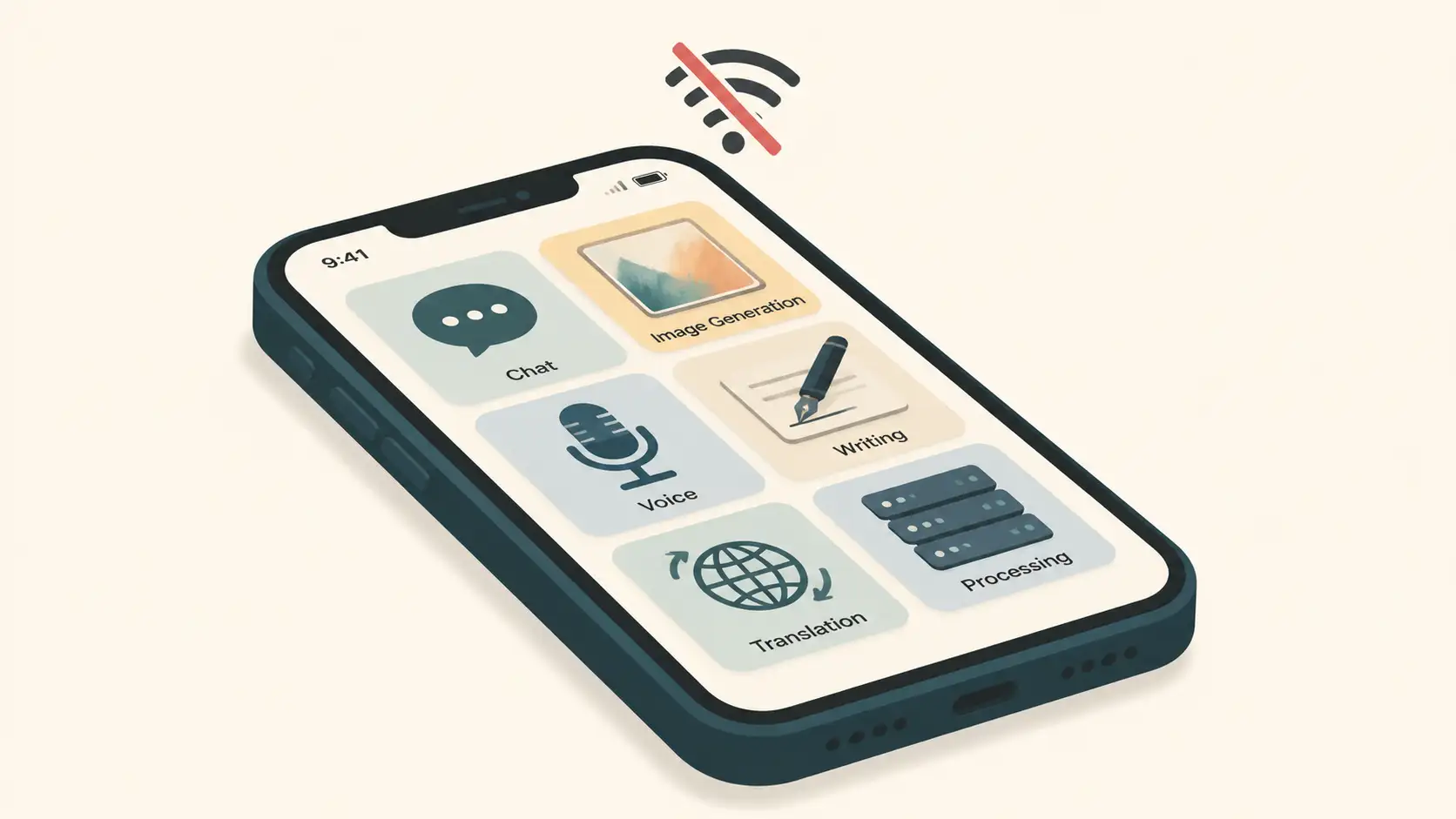
Quick Answer: Free offline AI apps for Android in 2026 span six categories: chatbots (Local AI, Layla AI, Caelum, Google AI Edge Gallery, DeepSeek), image generation and editing (SDAI for Stable Diffusion, Rendrflow for upscaling), voice assistants (Voice AI Assistant for Seri), writing tools (Grammarly mobile, 2026 Keyboard for AI typing), translation (Google Translate, Offline Language Translator, Offline Translate), and self-hosted AI (Ollama + Open WebUI for a fully local stack). All free to install, all functional without an internet connection.
A free offline AI app is an Android application that performs AI tasks — chat, image generation, transcription, translation, writing assistance — entirely on the device, with no internet connection required for core functionality. Once installed (and any large model files downloaded), the app operates fully offline, keeping data private and working anywhere.
AI-generated image
What Makes an App "Genuinely Offline"?
Three properties define a genuinely offline AI app:
The AI model lives on-device — the weights are stored locally; no inference traffic goes to a server
Core features work without connectivity — chat, generation, translation, or whichever capability the app delivers all run on the phone
The first download may need internet, but routine use doesn't — installing the app and downloading model files typically requires a connection; everything after runs locally
The Android Developers documentation on offline-first apps defines this pattern formally: an offline-first app must be able to perform all, or a critical subset of its core functionality without access to the internet, presenting users with local data immediately rather than waiting for a network call. The apps below all meet that bar.
For a focused shortlist of the strongest seven picks across categories, see our 7 Best Offline AI Apps for Android. For the broader context of running language models on phones, our local LLM on phone benchmark guide covers model selection and hardware.
Category 1: Offline Chatbots and AI Assistants
The largest category. Five apps cover most of the chat / Q&A / reasoning ground.
Local AI
Local AI is a chatbot that works entirely without internet connectivity, ensuring smart and secure conversations anytime and anywhere without data sharing. The app's distinctive feature is customisation — users can create their own models by selecting parameters that suit them best. It collects no data and shares nothing with third parties. As of 2026, it has over 50,000 downloads.
Best for: Users who want fine-grained control over the model they're chatting with.
Layla AI
Layla AI runs entirely offline on Android, requiring no internet connection. It uses large language models that run directly on consumer hardware, allowing for a private and personalised experience that eliminates concerns about external influences and censorship. The technical detail that matters: Layla is developed with 7 billion parameters and operates with a file size of only 4 GB on Android devices.
The free version has limited capabilities; the fully featured version is available for a one-time purchase. Layla can engage in friendly conversations, generate short stories, answer questions, and impersonate celebrities or fictional characters.
Best for: The most capable on-device LLM chat experience available on Android.
Caelum
Caelum is a mobile AI app designed to run entirely offline, requiring no internet connectivity and ensuring no data leaves the user's device (except for optional web search via DuckDuckGo). The app is specifically tailored for non-technical users who want a simple and effective way to ask questions without dealing with privacy concerns or complicated interfaces. The interface is intentionally simple and colourful.
Best for: Non-technical users who want a clean, friendly offline AI chat experience.
Google AI Edge Gallery
Google's official offline AI app. AI Edge Gallery allows users to run open-source LLMs directly on mobile devices, ensuring full privacy as all inferences occur without internet connectivity. The standout features:
Ask Image — uses the device's camera or photo gallery to identify objects and provide detailed descriptions, functioning fully offline
Audio Scribe — transcribes and translates voice recordings into text in real time using on-device language models
Thinking Mode — lets users observe the step-by-step reasoning process of the model during conversations
Mobile Actions — enables offline automated tasks for autonomous device controls
For background on the agentic capabilities AI Edge Gallery exposes, see our on-device AI agents explainer. For more on the Gemma 4 model underneath, see our Gemma Android app review.
Best for: Multimodal offline AI — chat plus image plus audio, with Google's privacy backing.
DeepSeek AI Assistant
DeepSeek provides free, offline functionality with seamless interaction powered by its latest AI model. It has reached over 50 million downloads on the Google Play Store, making it one of the most-installed free AI assistants on Android. The app is designed to solve problems efficiently and provide in-depth explanations.
Best for: Mainstream free AI assistant with a massive user base.
Category 2: AI Image Generation and Editing
Two distinct subcategories: creating images from text, and enhancing existing images.
SDAI (Stable Diffusion Android)
SDAI is an open-source AI art generator distributed via F-Droid. The app uses Local Diffusion, enabling users to create images offline. SDAI also offers flexibility — users can choose their AI generation provider, whether cloud-based or local — giving complete control over the creative process regardless of internet availability.
System requirement: Android 7.0 or newer. After the initial app install, users download Stable Diffusion model files to enable fully offline generation.
Best for: Open-source enthusiasts and AI artists who want full control over their generation pipeline.
Rendrflow (AI Image Upscaler)
Rendrflow is a fully offline AI image upscaler that runs entirely on-device, utilising the device's GPU and CPU for processing without needing servers or internet. The app supports 2×, 4×, and 8× upscaling using high and ultra models, and includes:
Batch processing — convert multiple images at once
AI background remover/eraser — fully offline
Basic editing — cropping and resolution adjustments
Best for: Anyone who needs to enhance existing image quality without uploading photos to a cloud service.
Category 3: Offline Voice Assistants
Voice AI Assistant for Seri
The Voice AI Assistant for Seri is a free Android app providing hands-free convenience through voice commands. Users can set reminders, send messages, and manage their schedules without needing an internet connection. The app supports creating to-do lists, setting alarms, and receiving reminders through simple voice commands. It has achieved over 5 million downloads.
Best for: Hands-free task management without cloud reliance.
Google AI Edge Gallery (Voice Features)
Worth mentioning again from Category 1: AI Edge Gallery's Audio Scribe feature transcribes and translates voice recordings into text in real time using high-efficiency on-device language models. For voice-first workflows, this pairs naturally with our searchable voice memos guide, which covers the broader voice-to-knowledge stack.
Category 4: AI-Powered Writing Tools
Grammarly
Grammarly's mobile app helps users edit grammar, spelling, and punctuation mistakes across all their applications on Android devices without needing an internet connection. Advanced features include an AI-powered rewrite tool that generates new versions of messages for improved clarity and tone, functioning seamlessly while offline.
Grammarly integrates with any Android keyboard (Gboard, SwiftKey, etc.), so users get real-time writing assistance without switching applications or keyboards.
Best for: Real-time grammar and rewrite assistance while typing in any app.
2026 Keyboard
The 2026 Keyboard features advanced AI-driven typing technology that learns users' typing habits to enhance speed and accuracy. It has crossed 50 million downloads. The app also includes a ChatGPT-powered Assistant that provides idea generation, code production, descriptions, real-time suggestions, and text correction.
Important caveat: The ChatGPT-powered Assistant features require internet — ChatGPT is a cloud service. The on-device typing predictions and habit learning work offline, but the AI Assistant chat-style features will not function without a connection. If you want the typing improvements and not the chat features, this app is offline-useful; if you specifically want the AI Assistant, expect to need data.
Best for: On-device typing prediction; less useful if you're avoiding the cloud entirely.
Self-Hosted Writing Assistant
For users who want to roll their own, a Reddit-curated guide walks through setting up a local AI environment using Ollama and Open WebUI. The setup takes approximately 15 terminal commands and can be completed in under an hour, providing a fast way to build your own AI tools without ongoing fees. Once set up, data stays local with no third-party sharing.
This is more of a desktop/server setup, but the resulting AI can be accessed from your Android device on the same network — see Category 6 below for the full self-hosted path.
Best for: Technical users who want a fully customised, fully local writing assistant.
Category 5: Offline Translation
Three apps cover the offline translation space well.
Offline Language Translator
The Offline Language Translator app supports offline translation for 59 languages. Features include voice recognition for all supported languages and voice broadcasting for 47 languages. The app can also detect text from images, allowing camera-captured translations offline.
Track record: over 1 million downloads and a 4.4-star rating from approximately 64.5K reviews. To use the offline translation feature, users must download the relevant language data model beforehand.
Best for: Travellers who want a focused offline-first translation app.
Google Translate
Google Translate allows users to translate between up to 249 languages and provides an offline mode without internet. Offline-capable features include:
Instant camera translation — point camera, get translation
Dictation for translating spoken words
Conversation mode — bilingual conversation translation
Handwriting recognition — draw text characters instead of typing
Phrasebook — star and save translated words and phrases for offline reference
For the broader offline language learning workflow, including Apple's Live Translation and dedicated language-learning apps, see our offline language learning guide.
Best for: The widest offline feature set across the most languages.
Offline Translate
Offline Translate lets users translate full sentences and entire texts without an internet connection, instantly translating as you type offline. The app has been downloaded over 1 million times and includes a dictionary that recognises any word form, identifies its features, and displays all translations — fully offline. The free version is completely free to use.
Best for: Users who want a robust offline dictionary plus translation in one app.
Category 6: Self-Hosted Local AI (Advanced)
For users who want maximum control, the self-hosted path uses Ollama and Open WebUI to run a local AI environment on a home server or laptop, accessible from an Android device on the same network.
The published Reddit guide walks through the setup in approximately 15 terminal commands, taking under an hour. Once set up, the entire AI stack runs locally — data stays on your hardware, no third-party sharing, no subscription fees.
For combining local AI with a personal knowledge base on Android, see our private brain on Android guide.
Best for: Technical users with a home server who want a fully local AI stack with no compromises.
Limitations and Trade-Offs
Offline AI on Android is real and useful, but the trade-offs are concrete.
Smaller model capacity. On-device models are typically smaller and less sophisticated than cloud counterparts. Layla AI at 7 billion parameters and 4 GB is impressive for a phone — but cloud models often contain hundreds of billions of parameters, with noticeably better performance on complex reasoning tasks.
No real-time information. Offline apps cannot access current news, market data, weather, or anything else that lives on the live internet. For up-to-the-minute information, you need a connection.
Storage requirements. Layla AI specifically requires around 4 GB. Stable Diffusion models for SDAI add several gigabytes more depending on which models you install. Multiple offline AI apps with their model files can easily consume 10 GB+ of phone storage.
Battery consumption. On-device AI processing is computationally intensive — running large models or AI image generation locally requires sustained CPU and GPU use, draining battery faster than cloud-based processing that offloads computation to remote servers. Expect noticeably faster battery drain during heavy use.
Manual updates. Unlike cloud AI which updates silently, offline apps require manual downloads to get model improvements, bug fixes, and updated knowledge. Some apps don't update the model component at all, meaning users are locked to the version they initially installed.
Hardware sensitivity. Performance varies widely by device. Flagship phones with powerful processors and ample RAM run models faster and more reliably. Older or budget devices may struggle with complex tasks. Check app-specific requirements — SDAI lists Android 7.0+ as its baseline.
When Cloud AI Still Wins
Offline AI is great for many use cases, but not all. Cloud AI is still the better choice when you need:
Frontier-grade reasoning — complex multi-step problem solving, sophisticated analysis, specialised domain expertise
Current information — recent events, market data, real-time anything
Multi-document research — synthesis across many sources benefits from larger context windows
Collaboration features — shared workspaces, team workflows, integration with enterprise systems
Heavy multimodal workflows — high-quality image generation at scale, video understanding, voice cloning
For privacy-sensitive personal use — note-taking, journaling, language learning, casual chat, translation when travelling — offline AI is now the better default. For research-heavy or collaborative professional work, cloud AI still has the edge.
For a deeper dive on this trade-off, the on-device AI agents explainer breaks down which workloads belong on-device versus in the cloud.
Frequently Asked Questions
What is a free offline AI app?
A free offline AI app is an Android application that performs AI tasks — chat, image generation, transcription, translation, writing assistance — entirely on the device, with no internet connection required for core functionality. Once installed and model files are downloaded, the app runs fully offline, keeping data private and working anywhere.
Which is the best offline AI chatbot for Android?
Layla AI runs a 7-billion-parameter LLM entirely on-device in roughly 4 GB. Google AI Edge Gallery uses Gemma 4 with 100% on-device privacy, plus Ask Image and Audio Scribe. Caelum offers a simple, non-technical interface. Local AI lets users customise their own models. DeepSeek (50M+ downloads) covers general chat — choose by your priority (capability vs simplicity vs customisation).
Can I generate AI images offline on Android?
Yes. SDAI (Stable Diffusion Android) on F-Droid runs Stable Diffusion entirely offline using Local Diffusion, requiring Android 7.0 or newer. For image enhancement rather than generation, Rendrflow is a fully offline AI image upscaler supporting 2×, 4×, and 8× scaling using on-device GPU and CPU, with a built-in AI background remover and batch processing.
Are there offline AI writing assistants for Android?
Yes. Grammarly's mobile app provides offline grammar, spelling, and punctuation correction, plus an AI rewrite tool, integrating with any Android keyboard. The 2026 Keyboard adds AI-driven predictive typing that learns your habits — note that its ChatGPT-powered features require internet, but the local typing predictions and learning work offline. For more advanced workflows, a self-hosted Ollama + Open WebUI setup gives you a fully local writing assistant.
What are the storage and battery limits of offline AI apps?
Offline AI apps require significant storage — Layla AI alone is around 4 GB and large models for SDAI add several gigabytes more. Running models locally also draws more battery than typical apps, especially during compute-heavy tasks like image generation. Model updates require manual downloads, and devices with limited RAM may struggle with multiple offline AI apps installed simultaneously.
Conclusion
The 2026 free offline AI app category on Android covers six clear use cases — chatbots, image generation, voice assistants, writing tools, translation, and self-hosted AI — with at least one strong free option in each.
For most users, the practical shortlist is: Layla AI or Google AI Edge Gallery for offline chat, SDAI for image generation, Rendrflow for image upscaling, Voice AI Assistant for Seri for hands-free voice tasks, Grammarly for writing assistance, Google Translate or Offline Language Translator for translation, and a self-hosted Ollama + Open WebUI setup if you want the fully local power-user stack.
The trade-offs are real — smaller models, no live information, storage and battery cost, manual updates — but for privacy-sensitive use, travel, and any scenario where reliable connectivity isn't guaranteed, the offline AI app category has matured to the point where there's a good free option for nearly every common need.